
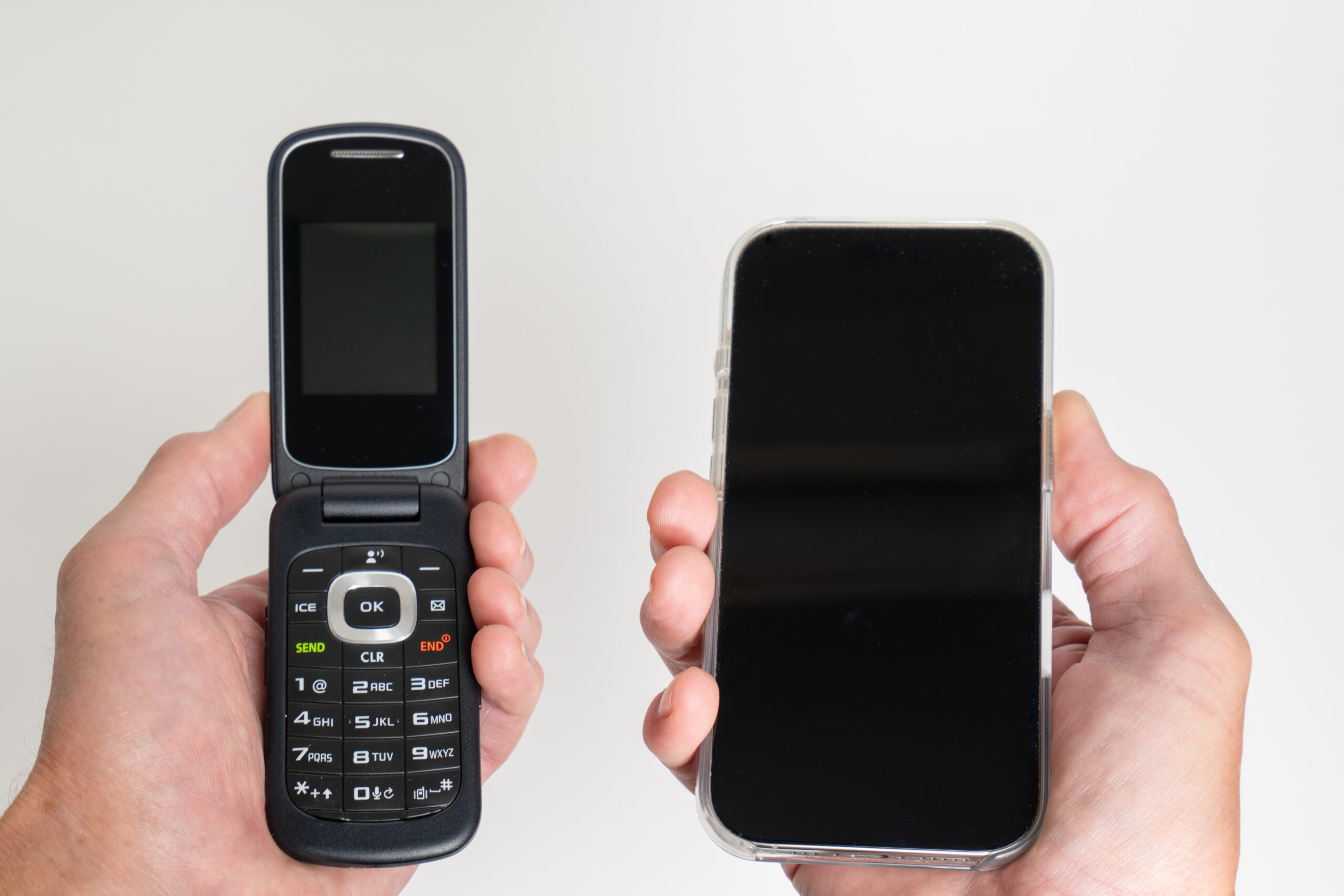
Maybe you’ve caught yourself picking up your phone for no reason. Or maybe your monthly bill keeps paying for apps you barely open. Either way, downgrading to a flip phone has probably crossed your mind. It sounds peaceful, but both sides come with tradeoffs. Here’s an honest look at what changes and how to decide if a simpler phone suits you.
Why Are More People Downgrading Their Phones?
People downgrade their phones mostly to take back control of their time and attention. Lower monthly bills are a practical bonus. A simpler device removes the steady pull of apps and alerts, which many smartphone owners say crowds out rest, hobbies and real conversation.
Smartphones are common: Pew Research Center reports that 91% of U.S. adults own one, though 14% of adults 65 and older carry a cellphone that isn’t a smartphone. Interest in simpler devices keeps growing anyway, which explains the flip phone revival of the past few years. For most people, the decision comes down to the habits a phone creates more than the phone itself.
What Do You Lose When You Downgrade?
Switching from a smartphone to a flip phone means giving up most apps, social media, streaming, advanced camera features, turn-by-turn GPS and tap-to-pay. Calls and texts work the same. Tasks that used to take one tap, like pulling up a map, now need a backup plan.
Photos are often the first thing people miss. A flip phone can capture a grandchild’s birthday, but the shots won’t match a modern smartphone’s sharpness. Banking apps, ride-hailing and digital boarding passes also go away.
What Do You Gain With a Simpler Phone?
A simpler phone gives you longer battery life, fewer notifications, sturdier hardware and a smaller monthly bill. With no apps competing for attention, owners usually check their phones less and pay closer attention to the people around them.
Research supports the focus benefit. A 2023 analysis of earlier studies found that using a smartphone, or simply having one nearby, tends to drag down attention and memory. The savings add up too: Unlimited talk and text with no data costs $15 a month. Side by side, the flip phone pros and cons often favor the simpler device for people who mostly call and text.
Here’s how the two compare:
| Flip phone | Smartphone | |
|---|---|---|
| Calls and texts | Yes | Yes |
| Apps and social media | Few or none | Full access |
| Camera | Basic | High quality |
| Turn-by-turn GPS | Usually not | Yes |
| Tap-to-pay | Usually not | Yes |
| Battery life | Longer | Shorter |
| Notifications | Few | Many |
How Long Does It Take to Adjust to a Flip Phone?
The adjustment after downgrading to a flip phone usually takes a few weeks. Early on, people reach for a phone that isn’t buzzing, miss conveniences more than they expected and relearn old habits like reading a paper map or asking for directions.
After that come the pleasant surprises. Some people say they feel less anxious. They also notice how much time went to aimless scrolling, and that time goes back to hobbies, books or a longer walk. If you’ve ever tried a digital detox, the feeling will sound familiar.
When Does Downgrading to a Flip Phone Not Make Sense?
Downgrading to a flip phone may not work for people whose jobs require constant email access, families who run on shared digital calendars, or frequent travelers who need real-time navigation. In those cases, a partial downgrade usually works better, such as a pared-back smartphone or a basic phone for weekends.
A flip phone won’t make you unreachable, and simple phones aren’t only for older adults. You can also set up a minimalist phone on the device you already own.
How Can You Ease Into Using a Flip Phone?
A two-week trial is the easiest way to start using a flip phone. Put your smartphone in a drawer and carry a basic phone. Write down the features you actually reach for, and set up workarounds, like printed directions or a contactless card, before you commit.
A trial gives you a realistic preview of life without smartphone apps, so switching from a smartphone to a flip phone stops being a leap of faith. If a feature turns out to matter more than you thought, adjust the plan.
What Should You Ask Yourself Before Downgrading?
Before you downgrade, ask yourself five questions about your daily habits, your backup options and your reasons for switching. The answers will settle the basic cell phone vs. smartphone question faster than any feature list:
- Which features do I use every day, and which only once in a while?
- What would I be relieved to lose?
- Do I need backups for navigation or payments?
- Is this permanent or a trial?
- Is cost, focus or both driving the switch?
Which Phone Fits Your Life?
The right phone is the one that fits your routine and the people you need to reach. Downgrading has real losses and real gains, and you’re the best judge of which ones matter more.
Affinity Cellular carries both flip phones and smartphones, with no-contract plans you can change anytime. However you choose to stay connected, we’re here to help you keep it simple.